Product portfolios
A portfolio helps readers recognise differences among works or tools. Give each entry a subject, an image when it supplies evidence, and a destination. Keep the descriptions comparable while allowing one entry enough room to explain a more complex process.
A family of visual treatments
The Vexy Lines page introduces fills through their different drawing behaviours. This portfolio uses three source images at the same scale so you can compare their line structure. Captions name the treatment; the surrounding text explains where to continue reading.
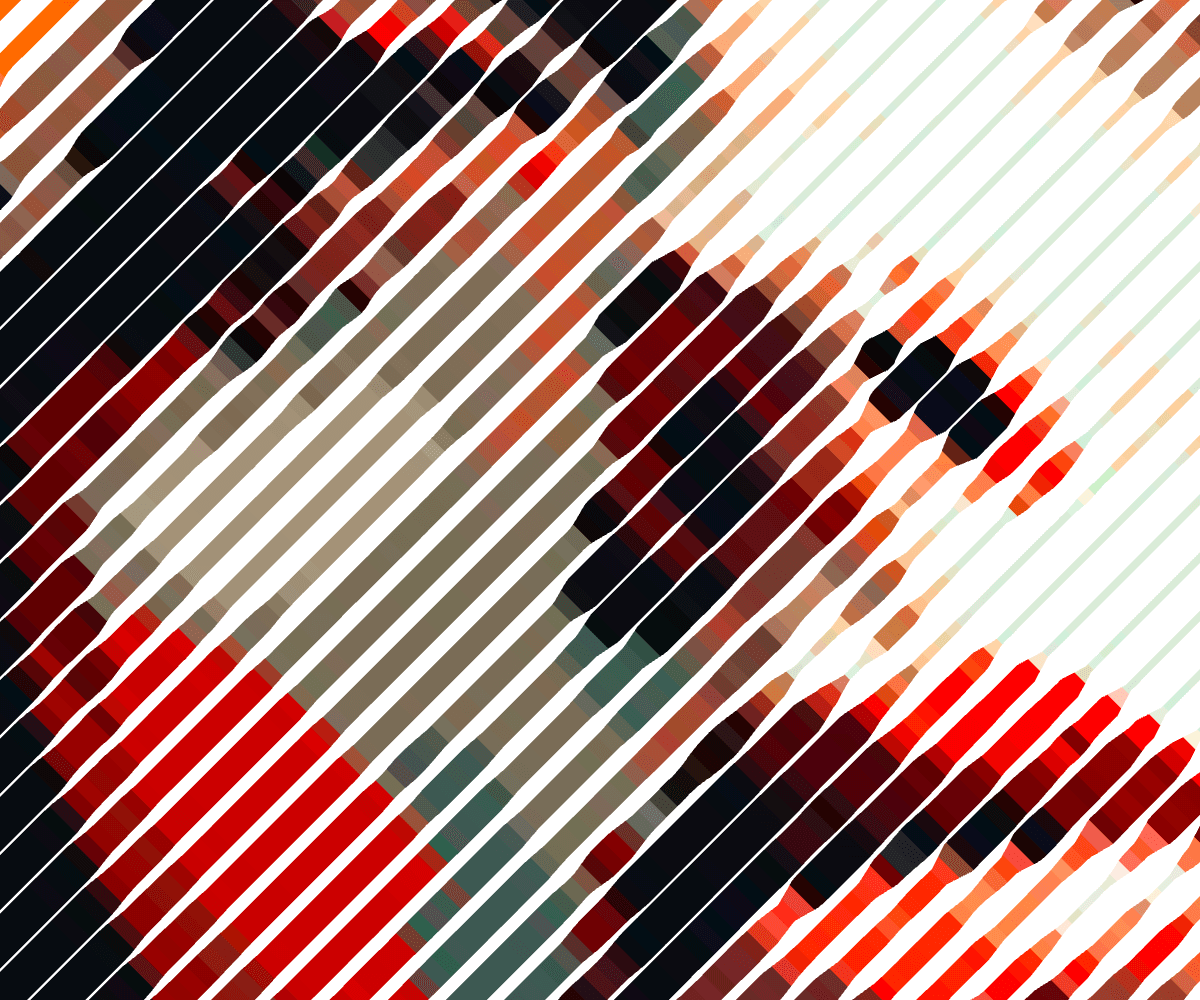
Linear. Parallel marks build an engraving-like treatment. Read about Linear fill.

Wave. Curved lines carry the image through changes in rhythm. Read about Wave fill.

Circular. Concentric fields establish a different centre and flow. Read about Circular fill.
<div class="fl-pattern-grid">
<figure>
<p><a class="glightbox" data-desc-position="bottom" data-height="auto" data-type="image" data-width="auto" href="https://s3.amazonaws.com/webflow-prod-assets/67c7070e70765599c7796390/6a3a889a66cd5854389e3b1e_vl-fill-linear.png"><img alt="Linear fill example from Vexy Lines" loading="lazy" src="https://s3.amazonaws.com/webflow-prod-assets/67c7070e70765599c7796390/6a3a889a66cd5854389e3b1e_vl-fill-linear.png"></a></p>
<figcaption>
<p><strong>Linear.</strong> Parallel marks build an engraving-like treatment.
<a href="https://help.vexy.art/lines/articles/linear-fill/">Read about Linear fill</a>.</p>
</figcaption>
</figure>
<figure>
<p><a class="glightbox" data-desc-position="bottom" data-height="auto" data-type="image" data-width="auto" href="https://s3.amazonaws.com/webflow-prod-assets/67c7070e70765599c7796390/6a3a88a843c58a3cfcd0b3cb_vl-fill-wave1.png"><img alt="Wave fill example from Vexy Lines" loading="lazy" src="https://s3.amazonaws.com/webflow-prod-assets/67c7070e70765599c7796390/6a3a88a843c58a3cfcd0b3cb_vl-fill-wave1.png"></a></p>
<figcaption>
<p><strong>Wave.</strong> Curved lines carry the image through changes in rhythm.
<a href="https://help.vexy.art/lines/articles/wave-fill/">Read about Wave fill</a>.</p>
</figcaption>
</figure>
<figure>
<p><a class="glightbox" data-desc-position="bottom" data-height="auto" data-type="image" data-width="auto" href="https://s3.amazonaws.com/webflow-prod-assets/67c7070e70765599c7796390/6a3a888f924b0a30af7f68ab_vl-fill-circular.png"><img alt="Circular fill example from Vexy Lines" loading="lazy" src="https://s3.amazonaws.com/webflow-prod-assets/67c7070e70765599c7796390/6a3a888f924b0a30af7f68ab_vl-fill-circular.png"></a></p>
<figcaption>
<p><strong>Circular.</strong> Concentric fields establish a different centre and flow.
<a href="https://help.vexy.art/lines/articles/circular-fill/">Read about Circular fill</a>.</p>
</figcaption>
</figure>
</div><div class="fl-pattern-grid" markdown="1">
<figure markdown="1">
{ loading="lazy" }
<figcaption markdown="1">
**Linear.** Parallel marks build an engraving-like treatment.
[Read about Linear fill](https://help.vexy.art/lines/articles/linear-fill/).
</figcaption>
</figure>
<figure markdown="1">
{ loading="lazy" }
<figcaption markdown="1">
**Wave.** Curved lines carry the image through changes in rhythm.
[Read about Wave fill](https://help.vexy.art/lines/articles/wave-fill/).
</figcaption>
</figure>
<figure markdown="1">
{ loading="lazy" }
<figcaption markdown="1">
**Circular.** Concentric fields establish a different centre and flow.
[Read about Circular fill](https://help.vexy.art/lines/articles/circular-fill/).
</figcaption>
</figure>
</div>Source images and fill names come from www.vexy.art/src_docs/md/lines/index.md.
Captions are adapted for this comparison. Keep the images' proportions;
cropping every treatment to an arbitrary strip would hide the difference.
One project deserves a closer look
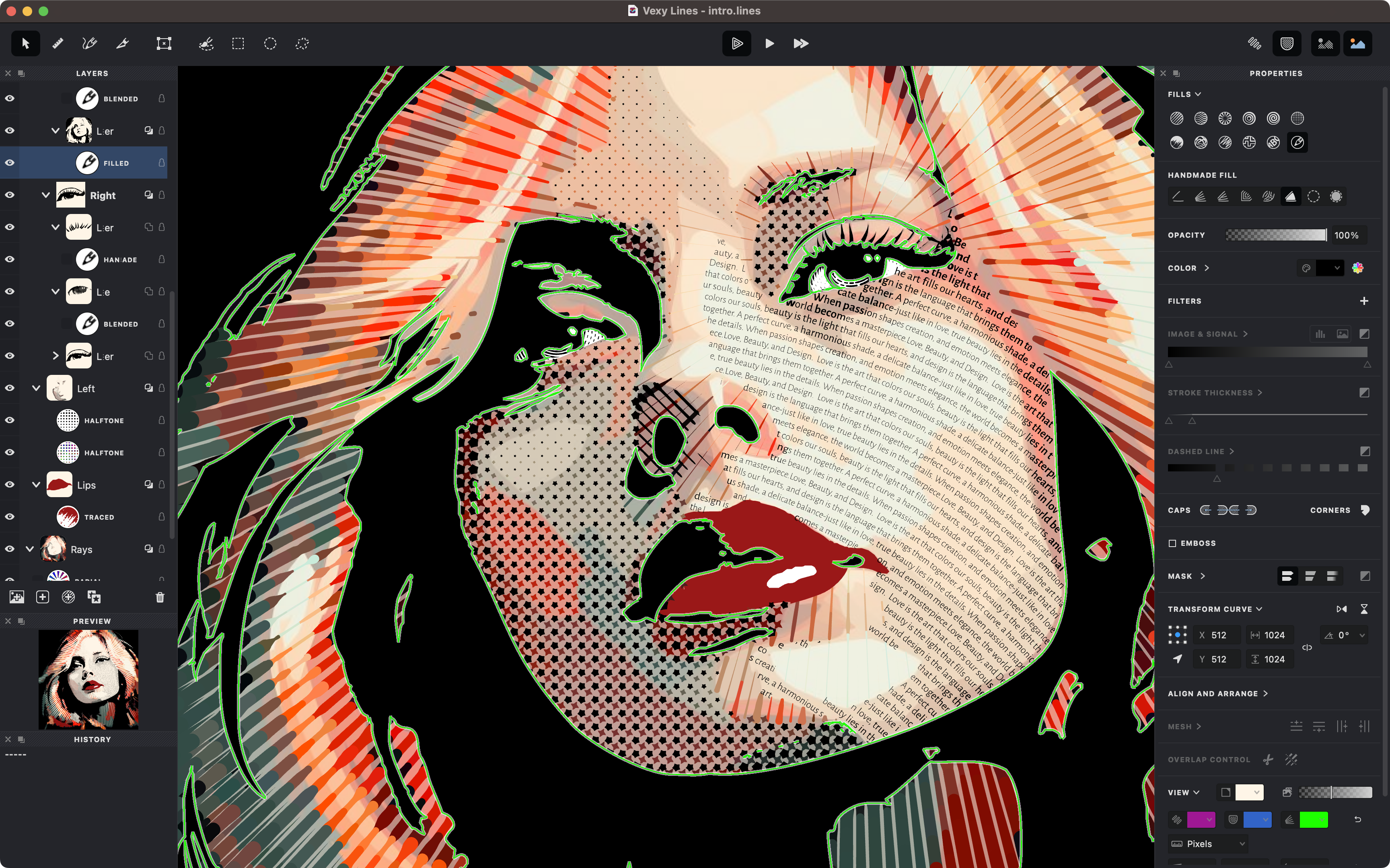
A portfolio entry can expand into a feature when the process needs more explanation. This image shows a layered portrait, with a description adapted from the source's “Inside the studio” section.
A layered portrait
Halftone, text and engraving fills share one source image. Each layer remains masked and editable, so the portrait can use different treatments for different regions.
Layers, masks, filters, transform curves and mesh warps belong to the same workspace. A portfolio can show the result first, then explain which parts of the composition remain open to revision.
<div class="fl-feature">
<section>
<h3 id="a-layered-portrait">A layered portrait<a class="headerlink" href="#a-layered-portrait" title="Permanent link">¶</a></h3>
<p>Halftone, text and engraving fills share one source image. Each layer remains
masked and editable, so the portrait can use different treatments for
different regions.</p>
<p>Layers, masks, filters, transform curves and mesh warps belong to the same
workspace. A portfolio can show the result first, then explain which parts of
the composition remain open to revision.</p>
<p><a class="md-button" href="https://help.vexy.art/lines/articles/layers-overview/">Explore layers and masks</a></p>
</section>
<figure>
<p><a class="glightbox" data-desc-position="bottom" data-height="auto" data-type="image" data-width="auto" href="https://cdn.prod.website-files.com/67c7070e70765599c7796390/6a3aa2fa9a55ad8a12a6d979_vll-studio-shot1.png"><img alt="Vexy Lines layered portrait project" loading="lazy" src="https://cdn.prod.website-files.com/67c7070e70765599c7796390/6a3aa2fa9a55ad8a12a6d979_vll-studio-shot1.png"></a></p>
<figcaption>A source project demonstrates the workspace as well as the artwork.</figcaption>
</figure>
</div><div class="fl-feature" markdown="1">
<section markdown="1">
### A layered portrait
Halftone, text and engraving fills share one source image. Each layer remains
masked and editable, so the portrait can use different treatments for
different regions.
Layers, masks, filters, transform curves and mesh warps belong to the same
workspace. A portfolio can show the result first, then explain which parts of
the composition remain open to revision.
[Explore layers and masks](https://help.vexy.art/lines/articles/layers-overview/){ .md-button }
</section>
<figure markdown="1">
{ loading="lazy" }
<figcaption>A source project demonstrates the workspace as well as the artwork.</figcaption>
</figure>
</div>Present tools through the jobs they support
A text-led portfolio can introduce related products without forcing each one into the same image shape. These entries draw on the FontLab converter page, the TransType blog article and the Vexy Lines introduction.
-
Font conversion
Preserve names, outlines, spacing, kerning and family structure while moving a typeface between formats.
-
Font editing
Continue the design work: extend a character set, develop OpenType features or work on the family in FontLab.
-
Vector artwork
Transform image tone and edges into lines, waves, dots and letters, with layers and masks controlling the composition.
<div class="grid cards">
<ul>
<li>
<p><strong>Font conversion</strong></p>
<p>Preserve names, outlines, spacing, kerning and family structure while
moving a typeface between formats.</p>
<p><a href="https://www.fontlab.com/font-converter/">Explore font converters</a></p>
</li>
<li>
<p><strong>Font editing</strong></p>
<p>Continue the design work: extend a character set, develop OpenType
features or work on the family in FontLab.</p>
<p><a href="https://www.fontlab.com/font-editor/">Explore font editors</a></p>
</li>
<li>
<p><strong>Vector artwork</strong></p>
<p>Transform image tone and edges into lines, waves, dots and letters,
with layers and masks controlling the composition.</p>
<p><a href="https://www.vexy.art/lines/">Explore Vexy Lines</a></p>
</li>
</ul>
</div><div class="grid cards" markdown="1">
- **Font conversion**
Preserve names, outlines, spacing, kerning and family structure while
moving a typeface between formats.
[Explore font converters](https://www.fontlab.com/font-converter/)
- **Font editing**
Continue the design work: extend a character set, develop OpenType
features or work on the family in FontLab.
[Explore font editors](https://www.fontlab.com/font-editor/)
- **Vector artwork**
Transform image tone and edges into lines, waves, dots and letters,
with layers and masks controlling the composition.
[Explore Vexy Lines](https://www.vexy.art/lines/)
</div>The image layouts require field-guide.css; the final grid uses MaterialX's
Markdown card pattern. At narrow widths, every entry keeps its heading,
description and destination together in source order.